A Flawless Design Handoff: A Step-by-Step Guide
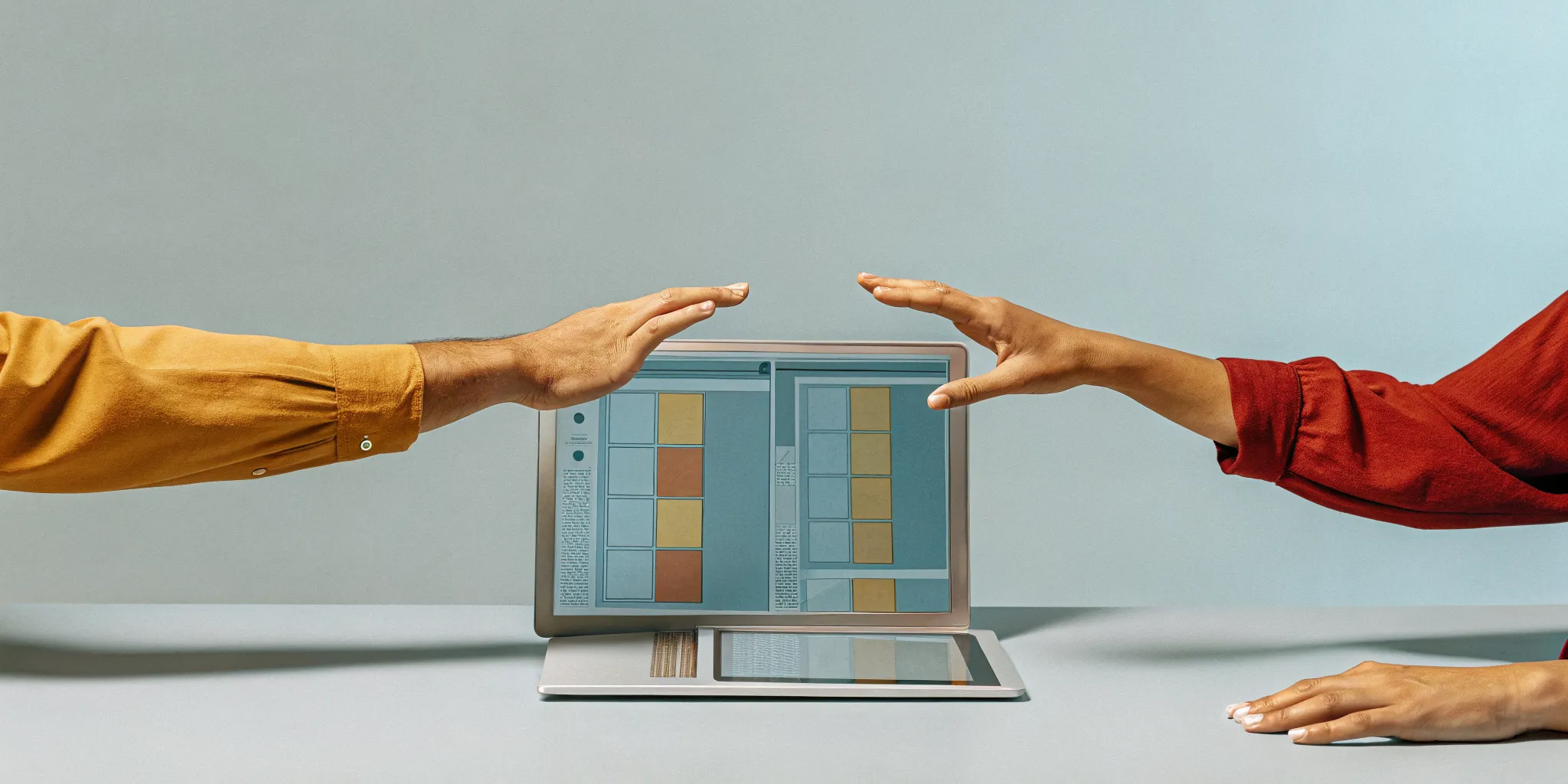
Think of your project like a relay race. Your creative team has run a brilliant first leg, crafting a stunning concept for a physical product. Now, it’s time to pass the baton. A clumsy pass can cost you the race, and the same is true for your project. The design handoff is that critical, deliberate exchange between your agency and your production partners. It’s not just about emailing a few files; it’s a complete transfer of knowledge, context, and intent. This guide will walk you through how to make that handoff seamless, ensuring your build team has everything they need to cross the finish line successfully.
Key Takeaways
- Make your build team a creative partner: Don't wait for the final design to start the conversation. Involving your production partners early provides crucial feedback on materials and feasibility, making the entire process smoother and more collaborative.
- Leave nothing to interpretation: Your handoff package is the product's blueprint, so be obsessively clear. Provide exact specs for colors and materials, include interactive prototypes, and explain the "why" behind your choices to ensure your vision is built with precision.
- Get organized before you send anything: A clean, structured handoff is your project's best insurance policy. Use consistent file names, create a central hub for all documentation, and use a checklist to guarantee your build team has everything they need to start without delay.
What Is a Design Handoff?
So, what exactly is a design handoff? Think of it as the official passing of the baton. It’s that critical moment when your team’s polished creative concept is handed over to the production team tasked with actually making it. This isn’t just about emailing a few files and calling it a day. A true handoff is a complete transfer of knowledge. It’s where you share the vision, the specific details, and the core intent behind every design choice.
The Interaction Design Foundation explains that a handoff is when a finished design is given to the build team, including all the necessary ideas and specifications. For agencies creating physical products, this is the point where your brilliant campaign idea becomes a tangible object. It’s the process that ensures the custom influencer box, branded device, or immersive installation you dreamed up is built exactly as you imagined it. A proper handoff package contains everything the makers need to execute your vision flawlessly, without having to guess about materials, colors, dimensions, or functionality. It’s the blueprint for turning your creative work into a real-world experience.
Why a Great Handoff Matters
A great handoff is your project's best insurance policy. When you’re creating a physical product for a client, there’s no room for interpretation errors. A smooth process ensures the final product looks, feels, and works exactly as you intended, protecting both your creative integrity and your client’s brand. Getting this step right saves an incredible amount of time and money by preventing mistakes that lead to costly rework and frustrating delays. It’s the difference between a seamless launch and a series of painful, budget-draining revisions. Ultimately, a meticulous handoff is about delivering on your promise and making sure the final product is something everyone can be proud of.
The Handoff's Role in Your Workflow
It’s best to view the handoff not as the end of the creative process, but as the crucial link between your agency’s vision and the final product. This is the moment where the "what" of your design meets the "how" of its creation. A poorly managed handoff can cause the entire project to stumble. If the production team doesn’t have clear, comprehensive instructions, the final product may not live up to the concept you sold to your client. By integrating a formal handoff into your workflow, you create a clear checkpoint that translates your creative strategy into a practical production plan. This ensures the physical item you’re creating feels exactly like the brand it represents.
What Goes Into a Great Design Handoff?
A great handoff is so much more than just sending a file and calling it a day. Think of it as a comprehensive kit that gives your production team everything they need to bring your vision to life, exactly as you imagined it. When your creative agency partners with a team like ours, this package is the bridge between the creative concept and the physical, hold-it-in-your-hand product. It’s where we translate the brand story into a clear, actionable blueprint for the people who will actually build the thing. A thorough handoff package anticipates questions, eliminates ambiguity, and ensures the final product is flawless. It’s the key to a smooth process and a result that makes your client look brilliant.
Visuals and Specifications
You live and breathe brand guidelines, so think of this as the brand guide for the product itself. This part of the handoff goes beyond pretty renderings. It includes the critical CMF documentation, which defines the product’s Color, Material, and Finish. We also provide a full set of detailed specifications and technical drawings that outline every dimension, tolerance, and part. This isn't just about looking good; it's about precision. When a manufacturer knows a specific part needs to be exactly 2.4 millimeters thick with a brushed aluminum finish, there’s no room for guessing games. This level of detail ensures the final product is consistent, high-quality, and perfectly on-brand.
Prototypes and User Flows
While visuals show what the product looks like, a prototype demonstrates how it feels and functions. This is where you get to experience the product in the real world before committing to a full production run. We map out the physical "user flow," which is the step-by-step story of how someone interacts with your product. From the unboxing experience to the first time they press a button, the prototype makes that journey tangible. For a smart device, an interactive prototype can help you feel how the digital and physical elements work together. It’s the best way to confirm that the design is intuitive, satisfying, and delivers on its core promise.
Design States and Guidelines
Many products have different "states" or modes of operation, and it’s crucial to define them. Think of a collapsible travel cup in its open and closed states, or a button on a device that glows, pulses, or changes color to indicate its status. These guidelines document every possible scenario. What does the light look like when the battery is low versus when it's fully charged? What sound does the product make when it powers on? Defining these behaviors ensures the product communicates clearly with the user and that its personality feels consistent and intentional. It’s these small, thoughtful details that make a product feel polished and professional.
Accessibility Notes
Great design is for everyone. Including accessibility notes in your handoff isn't just a box to check; it’s about creating a better, more inclusive experience that a wider audience can enjoy. For physical products, this means considering ergonomics, like the shape of a handle or the placement of buttons for ease of use. It includes specifying tactile markers for visually impaired users or ensuring text on the product or packaging is large and clear enough to read. By incorporating principles of universal design, you create a product that is not only compliant but also more thoughtful, user-friendly, and welcoming to all.
Design Rationale
The design rationale is the story behind your decisions. It’s the "why." Why was this material chosen? Why is the button shaped this way? Why does the unboxing experience unfold in this specific sequence? Sharing this context with the production team is incredibly powerful. When they understand the goal, whether it’s to convey luxury, communicate durability, or create a moment of surprise, they become more invested partners in the outcome. This narrative connects the technical specifications back to the original creative brief and business goals, ensuring that every person involved in the project is working together to tell the same cohesive brand story.
Building Your Handoff Package
Think of your handoff package as the ultimate instruction manual for your product. It’s more than just a collection of design files; it’s a comprehensive toolkit that gives your build team everything they need to bring your vision to life, exactly as you imagined it. For an agency, a solid handoff package is your best insurance policy against misinterpretation, costly errors, and production delays. It shows your client and your production partners that you’re on top of every detail. When done right, the handoff package becomes the single source of truth for everyone involved, from the person sourcing materials to the team on the assembly line.
A truly great package leaves nothing to chance. It anticipates questions and provides clear, unambiguous answers before they’re even asked. This is where you translate your creative concept into a practical, buildable reality. The goal is to create a set of documents so thorough that someone with the right technical skills could execute your design flawlessly, even if they can’t speak directly with you. This package typically includes annotated design files with specific callouts, detailed technical drawings, clear criteria for what makes the final product a success, and practical guides for assembly. Each component works together to ensure the final product is a perfect match for your creative intent.
Annotated Design Files
Your design files are the visual heart of the handoff, but without context, they’re just pictures. Annotated files are where you add the crucial details directly onto your designs. Think of it as leaving helpful notes for your build team. Use callouts to specify exact dimensions, materials, textures, and finishes. If you’re creating a branded item, include specific color codes like Pantone, CMYK, or RAL. A proper handoff saves time and effort for everyone and prevents the production team from having to make educated guesses, which can lead to costly mistakes. Clear annotations ensure the final product’s quality and feel align perfectly with your vision.
Technical Specs and Drawings
While annotated files provide context, technical specifications and drawings provide the blueprint. This is where you transfer a designer’s full intent and knowledge into a format your build team can execute with precision. These documents should include detailed 2D drawings (like top, front, and side views) and 3D exploded views that show how parts fit together. This is also where you’ll list critical information like tolerances (the acceptable range of variation for a dimension), material properties, and required manufacturing processes. Your spec sheets should cover every visual and functional element, leaving no room for ambiguity.
Acceptance Criteria
How will you know if the final product is a success? That’s what acceptance criteria are for. These are the clear, measurable standards the finished product must meet to be considered "done" and approved. This goes beyond just looking right; it includes functional requirements, durability tests, and quality benchmarks. For example, a criterion might be "The lid must snap shut with an audible click and require X amount of force to open." Including the "why" behind these decisions helps your build team better understand the design context and make smarter choices during production. This checklist ensures everyone is aligned on what a successful outcome looks like.
Assembly Guides and BOMs
For any product with more than one part, assembly guides and a Bill of Materials (BOM) are non-negotiable. An assembly guide provides step-by-step instructions, often with illustrations, showing how to put the product together. A BOM is an exhaustive list of every single component, from screws and adhesives to custom-molded parts and raw materials. This document is essential for sourcing, costing, and inventory management. A poorly implemented design can ruin the user experience, and these documents are your frontline defense against assembly errors. Remember to work together as a cross-functional team when creating these, as your production partners will have valuable input.
Common Handoff Mistakes to Avoid
Even the most brilliant creative concept can get lost in translation if the handoff isn't handled with care. A smooth transition from your design team to the build team is more than just sending over a folder of files; it’s about setting the project up for success. A bad handoff can lead to wasted time, features that don't match the design, and a final product that misses the mark. By being aware of the common pitfalls, you can make sure your vision is executed with the precision it deserves. Let’s walk through some of the most frequent mistakes we see and, more importantly, how you can steer clear of them.
Disorganized Files
Imagine handing someone a book with the pages out of order and no chapter titles. That’s what it feels like for a development team to receive a messy design file. When files are disorganized with unlabeled layers and inconsistent naming, your build team has to spend precious time deciphering the design instead of making it. A well-organized file structure is your best friend. Before you hand anything over, take the time to clean up your files. Group related elements, name your layers logically, and delete anything that’s not in use. This simple step ensures your partners can effectively find their way through your designs and start building right away.
Vague Specifications
Your team’s creative vision lives in the details, but those details can get lost without clear instructions. Ambiguity is the enemy of a great handoff. Phrases like “dark gray” or “standard size” leave too much room for interpretation. Providing clear and specific instructions is essential for turning your concept into a tangible product. Define every color with a Pantone or CMYK value. Specify exact dimensions, materials, and finishes. If a specific texture is critical to the user experience, provide a physical sample or a reference. Don’t assume your build team knows what you mean; spell it out so there’s no guesswork involved.
Skipping the Prototype
Static design files can’t fully capture how a product should feel or function. Forgetting to show how things move and behave is a huge missed opportunity. This is especially true for physical products with interactive elements or unique mechanisms. An interactive prototype helps bridge the gap between a static design and a dynamic final product. It doesn’t have to be a complex, high-fidelity model. A simple 3D animation or a physical mock-up can communicate the intended user experience far better than a flat drawing. This step is crucial for aligning everyone’s expectations and ensuring the final product works just as beautifully as it looks.
Forgetting the "Why"
Your design choices weren’t random; they were driven by brand goals, user needs, and a compelling creative strategy. Sharing that context with your build team is one of the most powerful things you can do. When the people making the product understand the rationale behind the design, they can make smarter, more informed decisions when they hit an unexpected snag. Documenting why certain choices were made gives your partners the insight they need to problem-solve in a way that honors your original intent. A few sentences explaining the goal of a feature can prevent a costly misstep down the line.
Rushing the Process
In the fast-paced world of agency life, it’s tempting to treat the handoff as the final step you can rush through to meet a deadline. However, a hurried handoff almost always creates more work later. It can lead to a process full of friction, causing frustration for everyone and jeopardizing the project timeline. Think of the handoff not as an ending but as a critical transition that needs its own time and attention. Build a proper handoff meeting into your project plan. Walk your build team through the designs, answer their questions, and make sure they have everything they need before they start. A little extra time upfront saves a lot of headaches later.
How to Improve Collaboration with Your Build Team
A great handoff isn't a finish line; it's the start of a partnership. The most successful projects happen when the creative team and the build team work together as a single, cohesive unit. Think of your production partners as collaborators, not just executors. Building a strong, communicative relationship is the secret to turning a brilliant concept into a flawless physical product. Here’s how you can foster that essential teamwork.
Involve Your Build Team Early
Don’t wait until your design is pixel-perfect to bring in your build team. Share early sketches and concepts to get their eyes on the project from the beginning. This simple step can save you from major headaches down the road. Your production partners can spot potential manufacturing hurdles, suggest more efficient materials, or offer creative solutions you hadn't considered.
This early collaboration ensures the design is grounded in reality from day one. It creates a shared understanding and makes the formal handoff a much smoother process because your build team already has context and has contributed to the product’s direction. This approach is a core part of a Design for Manufacturability (DFM) strategy, aligning creative vision with practical execution.
Create Feedback Loops
The handoff should be a conversation, not a monologue. Instead of just delivering a package of files and walking away, establish a continuous feedback loop. Encourage your build team to ask questions and challenge assumptions. When they provide feedback, listen with an open mind. They are the experts in their domain and can offer invaluable insights into how a design will perform in the real world.
This ongoing dialogue ensures that any issues are caught and addressed quickly. It transforms the relationship from a simple handoff to a dynamic partnership where both sides are invested in achieving the best possible outcome. This collaborative process is key to bridging the gap between what looks good on screen and what works perfectly in hand.
Set Up Regular Check-Ins
Consistent communication is the backbone of a successful project. Schedule regular, brief check-ins with your build team, whether it's a quick daily stand-up or a more detailed weekly sync. Use this time to review progress, discuss roadblocks, and make sure everyone is still aligned with the original vision. These meetings are your opportunity to solve problems in real time.
These touchpoints prevent small misunderstandings from becoming big problems. They ensure that if a design needs to be adjusted due to a technical constraint, the creative team is involved in finding a solution that honors the brand's goals. A well-structured project management plan with clear communication points keeps everyone moving in the same direction, ensuring a smooth path from prototype to production.
Stay Involved After Handoff
Your job isn’t over once the files are sent. Stay engaged throughout the production process to ensure the final product meets your quality standards. The best way to do this is by conducting a design review of the initial production samples. This is your chance to check everything from colors and finishes to fit and function.
This final quality check ensures that the tangible product perfectly matches the design intent you worked so hard to create. It’s the last critical step in guaranteeing that the item delivered is exactly what you promised your client. By staying involved, you demonstrate a commitment to excellence and ensure the final product is something everyone can be proud of.
Our Favorite Tools for a Smooth Handoff
A solid process is the foundation of a great handoff, but the right software can make communication feel almost effortless. These tools act as a bridge between your creative vision and the people who will physically build your product. They help create a single source of truth, which means fewer emails, less confusion, and a much faster path from design to a finished product. Think of them as your project’s central nervous system, keeping everyone connected and on the same page. While we use a variety of specialized software for our CAD and technical drawings, these platforms are fantastic for managing the collaborative part of the handoff process. Here are a few of our go-to tools for keeping projects organized and teams aligned.
Figma and Dev Mode
Figma is a powerhouse for collaborative design, and it’s not just for websites and apps. We use it to create clear visual documentation and user flows for products. Its real magic for handoffs, though, is Dev Mode. This feature translates your visual designs into specs that your technical team can use, which helps reduce the guesswork. It’s designed to make communication between designers and builders seamless. By providing a clear, inspectable file, you can ensure that details like colors, dimensions, and materials are communicated accurately. This design handoff tool helps everyone speak the same language, minimizing back-and-forth and keeping the project moving forward smoothly.
Zeplin
Think of Zeplin as a dedicated space just for the design handoff. While you create the designs in another program, you can publish them to Zeplin to create a clean, organized workspace for your production partners. It automatically generates style guides, measurements, and assets from your design files. This is incredibly helpful for keeping everyone on the same page, especially with complex projects. Your build team can get all the technical details they need without having to dig through your original design files. Zeplin is built to be the ultimate source of truth for a project’s design specs, ensuring what you designed is what gets made.
InVision
InVision excels at bringing your designs to life before a single physical part is made. You can use it to build interactive prototypes that show exactly how a product is meant to be used. This is perfect for demonstrating a user journey, testing an on-screen interface, or simply walking your team and client through the product’s features. The platform’s strength is in its design collaboration features, which allow stakeholders to leave comments and feedback directly on the prototype. This ensures everyone is aligned on the user experience early on, saving significant time and resources by catching potential issues before they become real-world problems.
Abstract
If you’ve ever struggled with finding the "final_final_v3" version of a design file, Abstract is for you. It provides version control for your design files, much like how writers use track changes in a document. Abstract allows your team to work on different parts of a design in "branches" and then merge the changes back into the main file. This creates a clear history of every decision and prevents anyone from accidentally overwriting important work. Using Abstract gives you a reliable system for managing revisions, ensuring that your build team always receives the correct and most up-to-date files for production.
Notion
Notion is the glue that holds the entire handoff package together. While it’s not a design tool, it’s an incredibly flexible all-in-one workspace where you can build a central hub for your project. We use it to house everything from the initial creative brief and meeting notes to the final technical specifications and assembly guides. You can embed your Figma files, link to prototypes, and create checklists for your build team. By creating a shared Notion workspace, you give your agency, your client, and your production partners one place to find every piece of information they need, keeping the entire handoff process transparent and organized from start to finish.
Design Handoff Best Practices
A great handoff doesn’t happen by accident; it’s the result of deliberate, thoughtful practices. Think of these as the golden rules that turn a potentially chaotic process into a smooth and collaborative workflow. Following these steps ensures your creative vision is translated accurately, your build team feels supported, and your final product is something everyone can be proud of. It’s about creating a bridge between the creative concept and the physical reality, making sure nothing gets lost in translation. For creative agencies, this is where your brilliant campaign idea becomes a tangible object that people can hold and experience.
By adopting these habits, you’re not just handing off files; you’re setting the entire project up for success from the start and building a stronger partnership with your production team. These practices help demystify the production process and give you more control over the final outcome, ensuring the physical product lives up to the creative vision you sold to your client. When your build team has everything they need, they can focus on execution instead of spending time deciphering your intent. This leads to faster turnaround times, fewer errors, and a much more enjoyable collaboration for everyone involved.
Create a Shared Design System
Think of a design system as the single source of truth for your project. It’s a centralized library of components, styles, colors, and guidelines that ensures consistency across every part of the product. Instead of your build team guessing which shade of blue to use or how a button should feel, they can pull from this pre-approved toolkit. This practice saves an incredible amount of time and eliminates ambiguity. For agencies, this is like creating a brand style guide specifically for the product. A solid design system means every element, no matter how small, aligns perfectly with the brand identity and the overall product vision, making the final result feel cohesive and professional.
Standardize Your Files and Naming
Before you even think about sending files, get your digital house in order. Disorganized files with unlabeled layers and confusing names are a recipe for disaster. Create a clear and consistent naming convention for all your assets, like ProjectName_Component_Version_Date. Inside your design files, group layers logically and remove anything that isn’t part of the final design. This simple act of housekeeping makes it infinitely easier for your production partners to find what they need without having to decipher a messy workspace. It shows respect for their time and establishes a sense of professionalism and clarity right from the beginning, building a foundation of trust with your build team.
Write Clear Instructions
Your design files show what the product looks like, but your instructions explain how it comes to life. Be explicit. Provide detailed specifications for every aspect of the design: exact color codes (like Pantone or CMYK), material types, finishes, textures, and precise dimensions. Don’t leave anything open to interpretation. For products with interactive elements, a clickable prototype is non-negotiable. It allows the build team to see and feel how the product is supposed to function, which is far more effective than a static screen or drawing. The goal is to answer every potential question before it’s even asked, ensuring your vision is executed with precision.
Know Your Technical Constraints
One of the biggest mistakes a creative team can make is designing in a vacuum. A brilliant idea is only brilliant if it can actually be made. That’s why it’s crucial to involve your product development partners early in the process. Share your initial concepts and sketches with them to get feedback on feasibility, materials, and production methods. This isn't about limiting creativity; it's about grounding it in reality. An early feasibility check can save you from costly and time-consuming redesigns down the road, ensuring the idea you pitch to your client is one you can confidently deliver.
Keep Communication Lines Open
The handoff is not a finish line; it’s the start of a new phase of collaboration. Don’t just send the files and disappear. The best outcomes happen when designers and makers work as true partners. Make yourself available to answer questions, clarify details, and provide feedback as the product is being built. Schedule regular check-ins to review progress and tackle any challenges that arise together. This ongoing conversation ensures that the final product stays true to your original vision. When you remain an active part of the process, you help steer the project to a successful conclusion and build a stronger relationship with your production team.
Your Design Handoff Checklist
You’ve poured your creative energy into a concept, and the designs look incredible. Now it’s time to pass the baton to the team that will bring your vision to life. A great handoff is more than just sending a folder of files; it’s a structured process that ensures clarity, alignment, and a flawless final product. Think of this checklist as your guide to a smooth transition from design to production, making sure every detail is captured perfectly.
Preparation
The best handoffs begin long before you send the final files. The goal is to eliminate surprises. Ideally, your design team has had continuous conversations with your build team throughout the creative process. This way, the handoff isn't a dramatic reveal but a formal confirmation of details they’re already familiar with. Before you package everything up, hold a kickoff meeting with the build team. Walk them through the design, explain the core objectives, and answer their initial questions. This early alignment ensures everyone is on the same page and working toward the same goal from the very start.
File Organization
A messy handoff creates confusion, delays, and unnecessary costs. When you deliver a neatly organized package, you’re not just being tidy; you’re setting the project up for success. A well-organized handoff saves time for everyone involved and ultimately helps improve the product's quality. Use a logical folder structure and a consistent naming convention for all your files. Clean up your design files by deleting unused layers and grouping related elements. Your build team should be able to open the package and understand the project's structure immediately, without needing a decoder ring.
Documentation
Your documentation is the essential bridge between your creative vision and the final physical product. It’s where you translate your design intent into clear, actionable instructions. A poorly documented project can lead to misinterpretations and a final result that doesn't match your vision, creating what amounts to a broken user experience. Your documentation should include detailed annotations on your designs, specifying materials, finishes, colors, and dimensions. It should also explain the "why" behind certain decisions, providing context that helps the build team make smart choices during production.
Final Review
The process isn’t over once you’ve sent the files. After the build team creates the first prototype or sample, it’s crucial to conduct a final review together. This step is your opportunity to compare the physical object against your original designs and documentation. It’s a collaborative check-in to ensure the design has been implemented accurately and that it meets all project requirements. This review allows you to catch any discrepancies and make adjustments before committing to a full production run, saving you from costly mistakes and ensuring the final product is perfect.
Related Articles
- How to Outsource Product Design Services
- 8 Steps to Find a Product Designer for Your Team — Jackson Hedden
- The Agency Guide to Outsourced Engineering and Design — Jackson Hedden
Frequently Asked Questions
When is the right time to involve our production partners? We don't want to bring them in too early. It’s a common concern, but you can’t really bring them in too early. The best time to start the conversation is during your initial concepting phase. Sharing rough ideas or sketches allows your build team to provide immediate feedback on what’s possible, what materials might work best, and where potential production challenges could arise. This isn't about limiting your creativity; it's about making it smarter. A quick chat early on can prevent you from falling in love with an idea that’s impossible or incredibly expensive to produce, saving you from a major redesign later.
Our agency works on tight deadlines. How can we make the handoff process faster without cutting corners? The secret to a fast yet thorough handoff is preparation. Instead of treating it as a final, frantic step, integrate documentation into your workflow from the start. As you make design decisions, jot down the "why" behind them. Use a consistent file naming system and keep your layers organized as you go. When you involve your build team early, the final handoff becomes more of a confirmation than a massive knowledge transfer. This turns a potentially week-long scramble into a streamlined meeting, because all the foundational work is already done.
What's the most common mistake you see agencies make during a handoff? The most frequent issue is providing vague specifications. It’s easy to assume your production partner knows what you mean by "a soft-touch finish" or "a premium feel," but these terms are subjective. Without precise details like Pantone color codes, material types, and exact dimensions, you leave the outcome up to chance. This ambiguity is where budgets get broken and timelines get delayed. Always aim to be as specific as possible, so your vision is executed with precision, not guesswork.
Do we really need such a detailed handoff for a simple product, like a custom box? Absolutely. The level of detail might change, but the principles remain the same. For a custom box, the handoff still needs to define the exact paper stock and weight, the printing process (like offset or digital), the specific CMYK or Pantone colors, the type of finish (like matte or gloss lamination), and the precise die-lines for cutting and folding. A detailed handoff ensures that even a "simple" item feels high-quality and perfectly represents the brand, preventing issues like color mismatches or flimsy construction.
What if our build team gives feedback that clashes with our creative vision? This is a great opportunity for collaboration, not conflict. When your production partners raise a concern, listen carefully to understand the root of the issue, which is usually a technical or budget constraint. Ask them to explain the challenge and then work with them to find a solution that still achieves your creative goal. Often, they can suggest an alternative material or a different construction method that honors your original intent while being more practical to produce. The goal is to treat them as expert partners who can help you bring your vision to life effectively.