Electronic product design and development is the work of turning a user need into a physical product that can be built, used, and later taken apart on purpose. The hard part is not picking a chip. It is deciding, early, how the enclosure, the board, the power source, and the factory steps will live together.
This guide is for founders and product leads who need a decision path, not a vendor brochure. You will leave with the choices that lock cost and service access, a short way to test them, and a handoff a factory can follow. The full stage-by-stage map already lives in the electronic product development guide. This page stays on the decisions that are expensive to reverse.
Talk with Jackson Hedden about the decisions in your next electronic product.
What Electronic Product Design and Development Has to Settle
Electronic product design and development covers the coordinated choices that make a powered product real. Someone has to name the user task, the functions, the physical limits, and the proof that each one is met. Then the form, the electronics, and the build method have to agree.
A useful project settles five things before appearance renders freeze the shell:
The user and the task, written so a stranger could test them.
The functions the product must sense, show, control, or move.
The power source, and what it does to size and access.
The module map: board, battery, controls, and covers.
The path to a pilot build, including which joints stay reversible.
Software-only work is a different job. A connected product may need firmware or an app, but the physical product still needs a housing, a power plan, and a way to assemble it. Treat code as a dependency you name, not as the product itself.
Jackson Hedden is an Austin industrial design firm. The product design work sets form, interaction, and the module map. Electronics, prototyping, and manufacturing support sit beside that map. They do not replace it.
Which Decisions Lock Cost and Access?
Most late surprises come from a few decisions made too early, or not made at all. Name them in the first concept review. A change after tooling is a new tool. A change in a sketch is a meeting.
Start with power. A replaceable cell, a sealed rechargeable pack, and a wired supply each change the volume, the opening, and the service story. If a tech must swap the pack, the cover cannot be glued shut. If the pack is sealed for weather, say so in the same sentence as the service rule, so the trade is intentional.
Next, freeze the zones. Mark where the board, the battery, the controls, the ports, and any sensor have to sit relative to the hand and the room. Industrial design and the electronics have to move together here. A beautiful shell that blocks a connector, or a board that ignores the grip, both fail the same review.
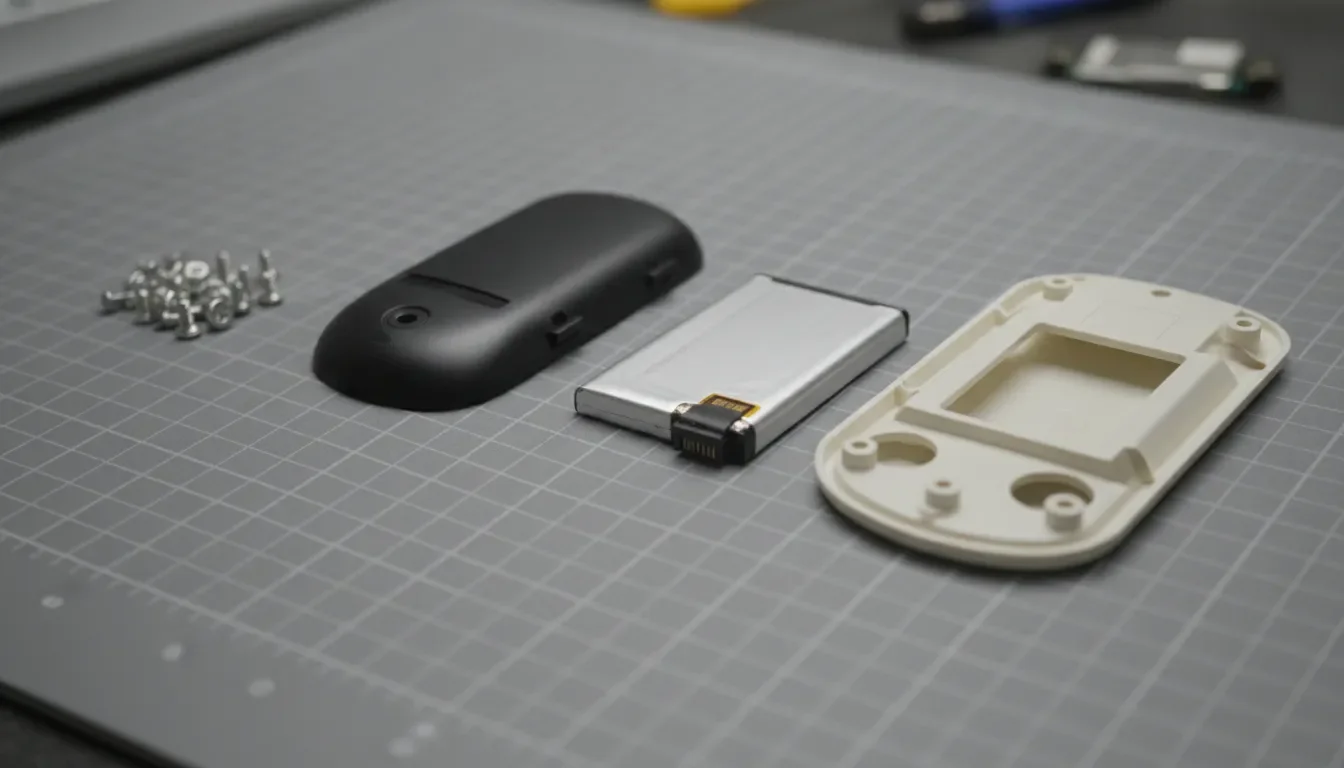
Then choose the joints on the path to anything that fails, holds a hazard, or is worth recovering. Screws, snaps, and latches can open again. Welds, one-way clips, and full-face glue usually cannot. Use permanent joints only on structure that should never open.
A practical check is whether a finger-and-hand action can release the joint. Research fastening guidance for repairable consumer electronics treats force under about 20 newtons as that kind of action, and treats a whole-arm pull as high. Use 20 newtons only as a number to measure on your own prototype, not as a pass for an unbuilt product. Public design guidance makes the same structural point without a force number: prefer screws, clips, or snaps over adhesives when the part must come out, and label the materials. The Lighting Industry Association note on designing for disassembly states both.
How Should the Team Compare Options?
Do not rank partners by how many services they list. Rank the decision in front of you. A concept that is still a sketch needs a different review than a housing that is about to be tooled.
Use the comparison below as a conversation, not a scorecard. The right row depends on what you already know and what your own team can supply.
Comparison checklist
User task: Who does what, where, and how you will know it worked? Typical risk if you skip it: A product that demos well and fails in the hand.
Power and access: Replaceable, sealed, or wired, and who opens it? Typical risk if you skip it: A battery trapped behind glue.
Module map: What comes off first, and what must survive? Typical risk if you skip it: Cables and boards that cross every split.
Joints: Which fasteners stay reversible, and with what tool? Typical risk if you skip it: A one-way clip chosen because it was fast on the line.
Pilot proof: Which build answers which question? Typical risk if you skip it: A pretty model that hides the real clashes.
Power and access
Decision: Choose replaceable, sealed, or wired power and identify who opens it.
Ask: Does the service path reach the power source without crossing a permanent joint?
Risk: A battery is trapped behind glue.
Bring the same questions to a design partner. Ask what they need from you, what they will hand back, and which choices need your approval. Also ask what is out of scope. Firmware, certification, tooling, and ongoing production may matter, and they are not automatic.
If the open question is who should own the electronics versus the industrial design, read the electronic product design services guide. It is a buying guide. This page is the decision list you can take into that conversation.
What Should a Prototype Prove?
A prototype is a question with a body. Name the uncertainty first, then build the cheapest model that can answer it. A foam form can test grip. A fit-check can show whether the board, the pack, and the cover collide. A working unit can show whether the control and the feedback make sense together.
For a powered product, add one test the appearance model cannot fake. Time the path to each priority part with only the tools you intend to allow. Record four things, in the same units, every time you retest:
Seconds to reach the part.
Whether the part and the fastener survive.
Whether a repair unit still closes and works.
Whether unlike materials are actually apart.
One clean opening is not evidence. Snaps relax, screw bosses strip, and seals take a set. If the second closure rattles or leaks, the joint is wrong even though the first photo looked fine. Do this on the same unit you use for fit, not on a later cosmetic model that hides the screws.
Prototype builds are where these numbers show up. The electrical design work belongs in the same loop when the question is power, sensing, or a connector that has to land on a split line. Keep board layout detail on the PCB design guide. This page only asks that the board respect the opening.
How Do You Keep Separation in the Plan?
Design for disassembly is the slice of electronic product design and development that decides how a product opens. How a priority part comes out, and how unlike materials separate. Repair wants the product to close again. Recycling can accept a faster split if the materials come apart clean. Write which path each joint serves.
A practical sequence is short. List what fails, what is hazardous, and what is worth recovering intact. Put those parts on short paths. A battery should not sit behind a glued display, a welded frame, and a hidden clip. Write one line per part, such as "Battery: remove two bottom screws, lift the cover. Unplug one connector." If you cannot write the line, the architecture is not ready.
Mark plastics so a later sorter can tell them apart. ISO 11469 is the common marking system for identifying plastic products before waste handling or recovery, and the lighting-industry note above points teams to it. Put the mark where wear and labels will not hide it. The standard identifies the material. It does not pick your resin. Material choice belongs in the sustainable materials guide.
Separation still fails if the right resin is welded to three other materials. State a recovery route for each module: reuse, repair stock, mechanical recycling, or disposal. If you cannot name the route, the module is not finished. Coatings and full-face labels count. A clip-on badge usually does not contaminate a plastic stream. A glued label might.
Build time is a related score, not the same score. The design for assembly guide covers part count and how fast the line closes the product. Do not let that goal delete the one joint that frees a battery. Enclosure wall stock and seals live in the electronics enclosure guide. This page only asks that the split line serve the path.
What Belongs in the Factory Handoff?
The factory will close the product the fastest way it can unless the packet says otherwise. Glue, ultrasonic welds, and one-way clips often appear at the tool trial because they save seconds. Put the separation rules in the same packet as the assembly steps.The handoff should name, in writing:
The user task, the functions, and the proof you already have.
The module map and the order of removal.
Allowed fastener types, sizes, and the tool list.
Joints that must stay reversible, and how many openings you expect.
Material marks, and where they sit on each part.
Adhesives, welds, and inserts that are forbidden on priority paths.
The pass test: time, survival of the part, and re-close when repair is required.
Ask the supplier to flag any change that deletes a screw, adds glue, or combines two materials in one shot. Those edits look small in a quote and erase the plan. Walk the opening on the first off-tool parts, not after the tool is paid off.
Manufacturing support should protect this packet through the pilot. Design for manufacturing still decides draft, wall stock, and cycle time. It should not be allowed to replace a reversible joint with a weld just to save a few seconds. Cost and supplier choices belong in the DFM handoff guide, beside this list, not instead of it.
Where Product Teams Usually Get Stuck
The first trap is sealing everything. Waterproofing, tamper resistance, and a thin look all push teams toward glue and hidden clips. You can still seal a product. Put the gasket on a screw-down cover, and keep the glue off the battery and the board. State the weather need and the service need in the same requirement.
The second trap is part-count pride. Fewer parts help assembly cost. A one-piece housing that traps three materials is cheap to mold and expensive to recover. Add a joint when it frees a priority part. Do not add joints everywhere.
The third trap is a late sticker that says "recyclable" on a shell that cannot open. Recovery claims need a path someone can perform. If you have not timed that path, leave the claim off the deck. The Green Philosophy case study is a useful standard: the physical product has to match the sentence.
Electronics add a fourth trap. Cables, antennas, and shields snake across split lines and make a clean module impossible. Freeze connector locations when you freeze the housing. If a cable must cross a service cover, give it slack and a single plug, not a soldered tail.
A fifth trap is treating the whole journey as one undifferentiated service. Requirements, architecture, prototypes, and the factory packet are different reviews. Skipping one does not speed the others up. It hides the decision until it is expensive.
Review your electronic product decisions with Jackson Hedden before the tool design is frozen.
Frequently Asked Questions
What does electronic product design and development include?
It includes the user task, the functions, the power and module plan, the form, the prototype proof, and a factory handoff. For a physical product, it also includes how priority parts come out later. It is not a software-only build, and it is not a single discipline working alone.
How is this different from hiring electronic product design services?
Services are the team and the scope you buy. This guide is the decision list those services should work through: task, architecture, joints, proof, and handoff. Use a buying guide when you are comparing firms. Use this page to see whether a proposal actually answers the decisions.
When should design for disassembly start?
Start while the module map is still flexible, before appearance renders lock the split lines. A screw boss added after tooling is a new tool. A split line chosen on the first prototype is a sketch change. Disassembly is one decision inside the larger development plan, not a sticker at the end.
Do I have to avoid glue entirely?
No. Glue, welds, and permanent rivets are fine on structure that should never open. Keep them off the path to batteries, boards, seals, and any part you expect to replace or recover intact. Say that rule in the factory packet, or the line will optimize it away.
How do I know the plan is ready for a pilot?
You can name the user task, point to the proof, and write one removal line for each priority part. The allowed tools are listed. The reversible joints are marked. A real assembly has been opened more than once, and a repair unit still closes and works.