Looks-Like vs. Works-Like Prototypes: A Simple Guide
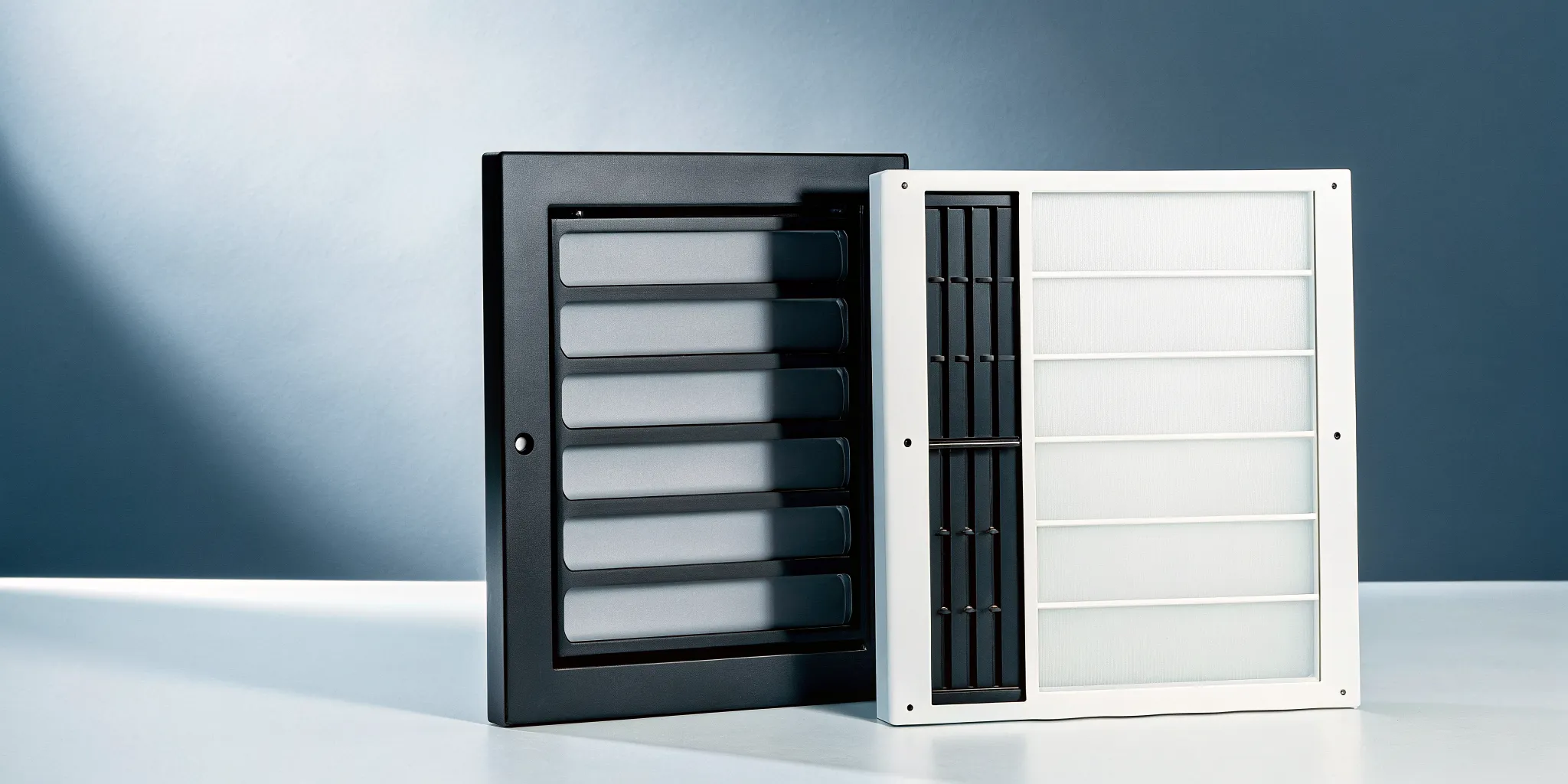
Turning a brilliant campaign idea into a tangible product is where many projects hit a wall. The instinct is often to build one prototype that looks beautiful and functions perfectly right from the start. This all-in-one approach is not just slow; it’s risky. A smarter way forward is to divide and conquer. By focusing on a looks-like prototype first, you can nail the aesthetics for a client presentation or photoshoot. Then, a separate works-like prototype can prove the technology is viable without the pressure of a polished appearance. This 'looks like works like prototype' strategy allows you to solve design and engineering challenges independently, gathering focused feedback at each step and creating a clear path to a successful launch.
Key Takeaways
- Build two separate prototypes to solve problems faster: Focus on aesthetics with a looks-like model to get design sign-off, while simultaneously using a works-like model to confirm the technology is viable. This parallel approach prevents engineering hurdles from delaying creative decisions.
- Choose the right prototype for the right question: Start with simple, inexpensive models to confirm your core concept. Only invest in high-fidelity prototypes when you need specific feedback on refined details like finish or user interaction, which saves time and keeps your budget focused.
- Get better feedback and faster approvals: Prototypes turn abstract ideas into tangible objects that clients and teams can understand. Use a looks-like model to get buy-in on the creative vision and a works-like model to demonstrate functionality, leaving no room for misinterpretation.
Looks-Like vs. Works-Like: What's the Difference?
When you hear the word "prototype," you might picture a nearly finished product, a perfect replica that looks and functions just like the real deal. But that’s one of the biggest myths about prototyping. In reality, trying to build an all-in-one prototype right from the start can slow you down and burn through your budget. A much smarter approach is to break the process into two distinct paths: one that focuses on appearance and another that focuses on function. This is the core idea behind looks-like and works-like prototypes.
For creative agencies, understanding this distinction is a game-changer. It allows you to manage client expectations and deliver tangible results quickly. Instead of getting bogged down trying to engineer a complex interactive device for a pitch, you can first present a beautiful, non-functional model to get sign-off on the design. This looks-like prototype is perfect for photoshoots, client presentations, and ensuring the physical form aligns with the brand's vision.
Once the aesthetics are approved, you can then focus on the technology with a works-like prototype. This separation of form and function is a key part of an efficient product development process. It de-risks the project by allowing you to solve design and engineering challenges independently. You avoid the costly mistake of building a stunning object that doesn't work, or a functional gadget that misses the mark on branding. By tackling one piece at a time, you get focused feedback, make smarter decisions, and bring your creative vision to life more effectively.
What is a Looks-Like Prototype?
A looks-like prototype is exactly what it sounds like: a model that shows what your final product will look like. It’s a physical representation built to communicate the design's aesthetics, including its size, shape, color, texture, and overall form. Think of it as a high-fidelity 3D render you can actually hold in your hands. Its primary job is to answer questions about the product's visual and ergonomic qualities. Does it feel right in your hand? Does the scale work for its intended use? Does it align with the campaign's visual identity? This type of prototype is typically static, with no internal electronics or moving parts, making it perfect for early client reviews, marketing photoshoots, or user feedback sessions focused purely on design.
What is a Works-Like Prototype?
A works-like prototype is the functional counterpart to the looks-like model. Its sole purpose is to demonstrate how the product will work, proving that the core technology and mechanisms are viable. This prototype is all about function over form. It often looks like a rough assembly of wires, circuit boards, sensors, and 3D-printed components, and that’s perfectly okay. Appearance is irrelevant here. The goal is to answer critical engineering questions: Does the circuit perform as expected? Is the mechanism strong enough? Can the software communicate with the hardware? For agencies developing interactive campaign assets or tech-infused merchandise, the works-like prototype is where you validate the "magic" and ensure the experience you promised is technically achievable.
The Core Differences
The fundamental difference between these two prototypes comes down to their purpose. A looks-like prototype is built to validate the product's form, while a works-like prototype is built to validate its function. One is designed to get feedback on aesthetics and ergonomics, while the other is for technical testing and de-risking. Consequently, they are made from different materials. A looks-like model might use beautifully finished 3D prints, sculpted foam, or cast resins to simulate the final product's look and feel. A works-like model, on the other hand, is pieced together with off-the-shelf components, development boards, and whatever else is needed to make the core technology function. Separating them allows you to move faster and make more focused decisions.
When to Use Each Type of Prototype
Knowing which prototype to build and when is the secret to a smooth and cost-effective development process. It’s not about creating one perfect model right out of the gate. Instead, think of prototyping as a series of questions you need to answer. Each type of prototype is designed to answer a different question, from "Is this idea even possible?" to "How will this feel in a user's hands?"
By matching the prototype to the project stage, you gather the exact feedback you need without overspending on details that don't matter yet. This strategic approach helps you move faster, make smarter decisions, and keep your client and internal teams aligned. It’s about using the right tool for the job. A rough model can validate a core function in a day, while a highly finished appearance model can win over a key stakeholder in a pitch. Let's walk through which prototype to use at each critical phase of your project.
Validating Early Concepts
At the very beginning, your goal isn't to create something beautiful; it's to find out if your core idea is technically feasible. This is where a Proof of Concept (POC) comes in. A POC is a bare-bones model designed to answer one simple question: does the fundamental technology or mechanism work? It doesn't need to look anything like the final product. It can be a tangle of wires on a board or a crude assembly of parts. Its only job is to show that the main components can achieve the intended function, giving you the confidence to move forward before investing in detailed design work.
Refining Your Design for User Testing
Once you've confirmed your concept is viable, it's time to refine the user experience. Here, you'll often split your efforts into two paths: looks-like and works-like prototypes. A looks-like prototype, also called an appearance model, is a high-fidelity visual representation of the product. It’s built to show what the final product will look and feel like, making it perfect for photoshoots, stakeholder presentations, or getting user feedback on ergonomics and aesthetics. A works-like prototype does the opposite. It focuses purely on function, demonstrating the product's mechanical or electrical features. It might not look pretty, but it proves the user interaction works as planned.
Finalizing for Production
As you get closer to manufacturing, you need to bring form and function together. This is the role of the engineering prototype. This model combines the polished appearance of a looks-like prototype with the full functionality of a works-like prototype. It should look and behave very much like the final product you intend to ship. While it might still have a few rough edges, the engineering prototype is what you use for final testing, debugging, and securing certifications. It’s the last critical step to validate your design before committing to expensive production tooling and kicking off the first manufacturing run.
Choosing the Right Materials and Methods
The materials and manufacturing methods you choose directly shape the effectiveness of your prototype. For a looks-like model, the goal is to replicate the final product's aesthetics, so visual fidelity is key. For a works-like model, the materials must perform under stress and accurately represent the product's function. Making the right choices early on helps you gather accurate feedback, stay on budget, and create a clear path to production.
Materials and Techniques for Looks-Like Models
When your goal is to create a visual representation, you can get creative with materials. Early-stage looks-like models might be crafted from foam, clay, or even cardboard to quickly establish form and scale. As the design gets more refined, we move to higher-fidelity options. Modern prototyping techniques like 3D printing are perfect for creating detailed plastic enclosures, while CNC machining can produce beautiful, precise models from metal or wood. The key is to match the material and method to the feedback you need. If you’re testing ergonomics, a simple 3D print works great. If you’re creating a hero model for a client presentation or photoshoot, you’ll want a flawless finish that looks just like the real thing.
Components and Assembly for Works-Like Models
For a works-like prototype, material selection is all about performance. This is where our engineering expertise comes into play. We choose materials that mimic the strength, flexibility, and durability of your final production parts. If the product has moving components, we need to ensure the materials can withstand friction and repeated use. For electronic products, the focus is on integrating the right components, like circuit boards, sensors, and batteries, into a functional assembly. The goal here isn’t just to make it work once; it’s to create a reliable model that proves the core mechanical and electrical systems are sound and ready for the next stage of development.
How to Manage Costs and Resources
Prototyping doesn't have to be expensive, especially in the early stages. The trick is to align your spending with your project's certainty. Start with low-cost methods like digital CAD models and simple physical mockups to validate the core idea before investing in more advanced prototypes. As your design becomes more defined, you can gradually increase the fidelity and cost. This iterative approach saves money and prevents you from wasting resources on an idea that isn't fully baked. By applying the principles of Design for Manufacturability (DFM) early on, we can also identify potential production issues, further reducing the risk of costly changes down the line. Smart planning ensures your resources are used effectively at every step.
How to Get Great Feedback on Your Prototypes
Getting great feedback on your prototypes requires a clear strategy. The key is to tailor your questions to the type of prototype you’re showing, whether you’re testing how it looks or how it works. Before any feedback session, decide on your primary goal. This clarity helps you frame the conversation and gather specific, actionable insights, giving you a clear roadmap for the next iteration.
Testing Aesthetics with Looks-Like Prototypes
When testing a looks-like prototype, you’re gathering feedback on its visual and tactile qualities. These models provide a physical representation of the final product's appearance, so the conversation should focus on aesthetics. Instead of asking, “What do you think?” guide the feedback with specific prompts about the form, color, and finish. Try questions like, “How does this feel in your hands?” or “Do these colors align with the brand’s identity?” This helps you get detailed notes to ensure the final product has the visual impact your campaign needs.
Validating Function with Works-Like Prototypes
A works-like prototype is all about performance. Its main job is to demonstrate how the product will actually work, so looks are irrelevant. When presenting this model, focus the feedback entirely on usability and mechanics. Make it clear you aren't looking for comments on color or shape, but on the experience of using it. Ask users to complete specific tasks, then ask targeted questions like, “Was that button easy to press?” or “Did the device respond as you expected?” This feedback is crucial for the engineering team to refine the product.
How to Use Feedback to Improve Your Design
Collecting feedback is just the first step; the real work is translating comments into design improvements. Prototyping is an iterative process, and each round of feedback should fuel the next version. After a session, organize notes into clear categories like "must-fix," "nice-to-have," and "consider for later." This prioritization helps your team decide what to tackle next. Share the organized feedback with your design and engineering partners to create an action plan for improving your ideas and aligning the final product with your client’s goals.
The Strategic Advantage of Using Both Prototypes
Using both looks-like and works-like prototypes isn’t about adding extra steps to your project; it’s about making your development process smarter, faster, and more resilient. Think of it as a strategic investment that pays dividends in clarity, speed, and a better final product. When your agency is creating a physical product for a campaign or a new merchandise line, you can’t afford major surprises late in the game. By separating form and function into two distinct prototyping tracks, you can solve different problems in parallel, gather specific feedback, and move forward with confidence.
This dual-track approach allows your team to de-risk the project from both a design and engineering perspective. The looks-like prototype validates the creative vision, ensuring the aesthetics, ergonomics, and brand feel are perfect. Meanwhile, the works-like prototype proves that the technology and mechanisms will function as promised. This separation is key. It prevents a situation where a brilliant design concept is derailed by an unforeseen engineering issue, or a functional product fails to connect with the target audience because the form factor is off. It’s the most effective way to turn a creative vision into a tangible, market-ready reality without costly detours or late-stage compromises that water down the original idea.
Reduce Project Risk
Every new product comes with a set of unknowns. Will the client love the feel of it? Will the internal mechanism function as planned? Prototypes are your best tool for turning those question marks into confident checkmarks. A looks-like prototype tackles the subjective risks head-on. It gives you, your team, and your client something physical to hold and react to, confirming the aesthetics, ergonomics, and brand alignment long before you commit to expensive tooling.
At the same time, a works-like prototype addresses the technical hurdles. It’s where our engineers prove out the electronics, test the moving parts, and ensure the core functionality is solid. By building both, you effectively reduce uncertainty across the board. You’re not just hoping the design and engineering will come together perfectly in the end; you’re actively validating each component, ensuring that potential issues are identified and solved early in the process.
Speed Up Your Timeline
It might seem counterintuitive, but creating two types of prototypes can actually get your product to market faster. When you try to combine aesthetics and function into a single prototype too early, progress can grind to a halt. The design team might be stuck waiting for an engineering problem to be solved, or the engineering team might have to rework components because of a late-stage design change. This creates bottlenecks and drags out the timeline.
By separating the two, you create parallel workstreams. Your designers can perfect the look and feel with a looks-like model while our engineers simultaneously tackle the technical challenges with a works-like model. This approach is a core part of a strategic plan that keeps the project moving forward on both fronts. Feedback from one prototype can inform the other without causing delays, leading to a much more efficient workflow and a shorter path to a production-ready design.
Align Your Team and Stakeholders
Prototypes are powerful communication tools. They transform abstract ideas from slide decks and CAD files into something everyone can see, touch, and understand. This is essential for keeping your internal team, agency partners, and clients aligned. A looks-like prototype gets everyone on the same page about the product’s visual identity and physical presence. It’s the best way to get clear, actionable feedback on the design before you’re too far down the road.
A works-like prototype does the same for functionality. It demonstrates exactly how the product will operate, which is crucial for engaging stakeholders and securing buy-in on the technical direction. When you present both, you leave no room for misinterpretation. The creative team understands the engineering constraints, the engineers understand the design intent, and the client sees a clear, tangible vision of the final product. This shared understanding is the foundation of a smooth, successful project.
How to Avoid Common Prototyping Pitfalls
Prototyping is where your agency’s big idea starts to feel real, but it’s also a stage where projects can get stuck. The good news is that most pitfalls are avoidable with a bit of foresight. The key is to treat prototyping as a strategic process of asking and answering questions, not just a race to a finished-looking product. When you know what you need to learn, you can build exactly the right prototype to get that information.
This approach saves you time, money, and a lot of headaches. Instead of getting bogged down by technical limitations or blowing your budget on a version that doesn't deliver the insights you need, you can move forward with confidence. A well-defined prototyping strategy helps you engage stakeholders effectively and iterate efficiently. By focusing on matching your prototype's detail to your current goal, planning your resources wisely, and choosing the right tool for the job, you can keep your project on track and turn your creative vision into a tangible, successful product.
Matching Fidelity to Your Current Goal
One of the biggest myths in product development is that a prototype has to look and work exactly like the final product. This thinking can stop a great idea in its tracks because it makes the process feel overwhelming. The reality is that your prototype only needs to be as detailed, or "high-fidelity," as required to answer your most pressing question at that moment.
Early in the process, your goal might be to simply confirm the product's size, shape, and feel. For this, a simple, low-fidelity looks-like prototype made from foam or 3D-printed plastic is perfect. It’s fast, inexpensive, and gives you immediate feedback. As you move forward, the fidelity increases to match your goals, like testing a specific mechanism or getting feedback on color and finish.
Planning Your Timeline and Budget
Without a clear plan, prototyping can easily run over schedule and over budget. The most common hurdles are unclear requirements and unexpected costs. You can get ahead of these issues by defining what success looks like for each prototype before you even begin building. Ask yourself: What specific question does this prototype need to answer?
Once you have your goal, you can build a realistic timeline that includes time for building, testing, and, most importantly, iterating. Prototyping is a cycle, not a straight line. Factoring in a few rounds of refinement will keep your project moving smoothly. Your budget should account for materials, fabrication costs, and any specialized engineering help you might need. This planning prevents scope creep and ensures every dollar is spent gathering valuable insights.
Choosing the Right Prototype for the Task
The type of prototype you build should always be dictated by the task at hand. If your goal is to get your client excited about the visual direction of a new branded device, a high-fidelity looks-like model is your best bet. It will communicate the form, finish, and aesthetic intent without needing any functional parts, which keeps costs down.
On the other hand, if you need to validate that a unique unboxing experience for an influencer kit works every time, you’ll need a works-like prototype. This version focuses on the mechanical and functional features, even if it’s made from rough materials. Using an agile process that leverages different prototypes at different stages is the most efficient way to move from a creative brief to a production-ready design.
Related Articles
- What Is a High-Fidelity Prototype? A Complete Guide — Jackson Hedden
- Get a Prototype Made Fast: The Ultimate Guide — Jackson Hedden
- Functional Prototype Development: The Ultimate Guide — Jackson Hedden
- How to Get a Product Prototype: A Simple Guide — Jackson Hedden
Frequently Asked Questions
Do I really need both a looks-like and a works-like prototype? For almost any product that has both a distinct appearance and a function, the answer is yes. Trying to build one perfect prototype that does everything from the start is a common mistake that slows projects down and inflates budgets. By separating them, your design team can focus on perfecting the aesthetics while our engineering team validates the function in parallel. This approach is faster, more efficient, and significantly reduces the risk of discovering a major issue right before production.
Which prototype is better for getting client approval? It depends entirely on what you need your client to approve. If you're seeking sign-off on the product's form, brand feel, and how it looks in a campaign, a polished looks-like prototype is your best tool. It makes the creative vision tangible. If you need to build confidence that a complex technical idea is achievable, a works-like prototype demonstrates that the core experience is functional and real, even if it doesn't look pretty yet.
My product idea doesn't have any electronics. Do I still need a works-like prototype? That's a great question. "Function" doesn't always mean electronics. A works-like prototype is essential for testing any mechanical or structural features. For example, you might need to validate a unique snap-fit closure for a package, test the durability of a hinge on a display, or ensure a product can withstand a certain amount of force. If your product has moving parts or needs to perform a physical task, a works-like prototype is critical.
How do I know which prototype to start with? Start by identifying your project's biggest risk or most important question. If you're not even sure the core technology is possible, you should begin with a very rough works-like model, often called a Proof of Concept, to confirm feasibility. However, if the function is straightforward but the product's shape and feel are critical for the brand, starting with a simple looks-like model to nail down the design is the better first step.
Isn't it more expensive to make multiple prototypes? It might seem that way, but it's actually a strategy that saves money. The alternative, creating a single, highly-complex prototype that looks and works perfectly, is incredibly expensive and time-consuming. The dual-track approach allows you to start with very low-cost models to get feedback early. This ensures you only invest in more detailed, expensive prototypes after the core concepts have been proven, which prevents you from wasting your budget on a flawed idea.